
This article will explain how to add attributes to the navigation index in order to enable them on facets and other rules.
Scenario
When a new attribute needs to be used in facets, rankings, and as a trigger in campaigns or result modifications, it should be enabled in the navigation index first.
Steps
- Once a new attribute has been loaded to FHR successfully, it should be visible on the System > Navigation > Navigation Index page in the Merchandising Studio.
- Search the attribute in the search box in order to see its status. In case you have a multi-universe setup, you should select the correct universe from the dropdown that is located on the top right corner of the page.
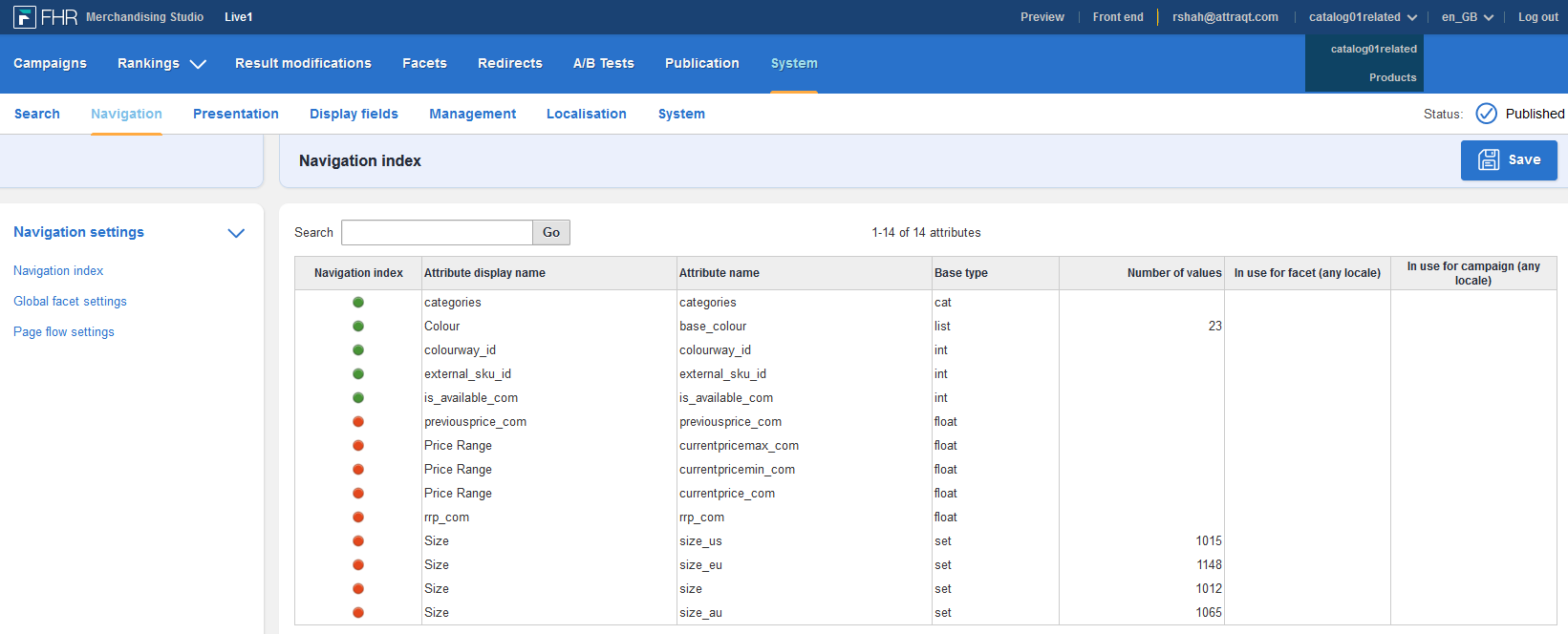
- A green dot in the navigation index column indicates that the attribute is active. A red dot indicates that the attribute is inactive and you should click on this dot to activate the attribute in the navigation index.
- Once you saved the changes, you should publish the new setting and trigger a reindex in order to make the changes effective.
Kommentare
0 Kommentare
Zu diesem Beitrag können keine Kommentare hinterlassen werden.