
This article will explain how to create a custom trigger. Each e-commerce environment is different. In particular, this means that each e-commerce environment offers its own opportunities to initiate merchandising actions. Fredhopper allows merchandisers to capture those calls to action by means of triggers. Fredhopper introduced several of those triggers out of the box yet it is flexible enough to allow customization.
Prerequisites
You have access to the system configuration under the SYSTEM tab. Based on the role assigned to your account, your access to the system configuration might be limited.
Steps
- Log in to the Merchandising Studio
- Go to the SYSTEM > Management > Trigger types manager
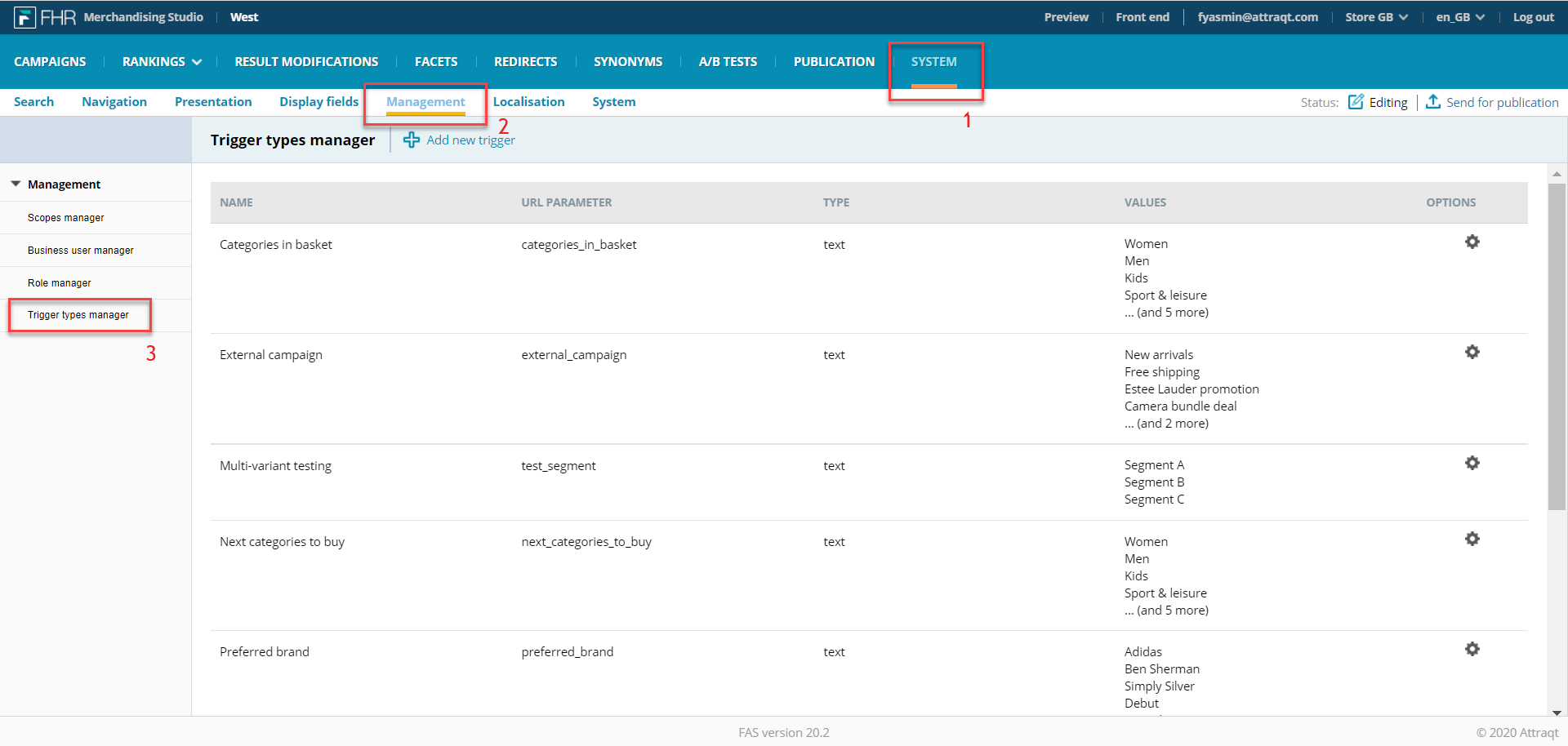
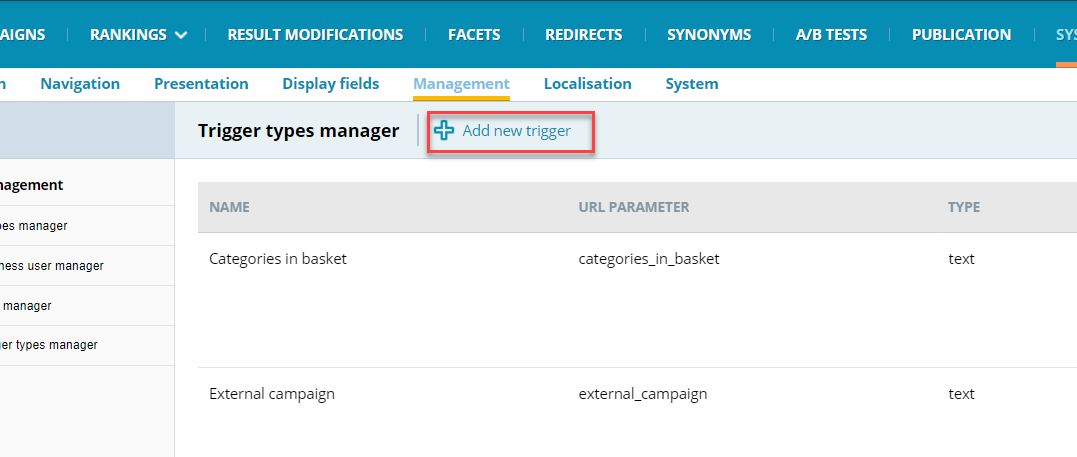
- Click "Add new trigger"
- Add the Name, URL Parameter and trigger type of the custom trigger.
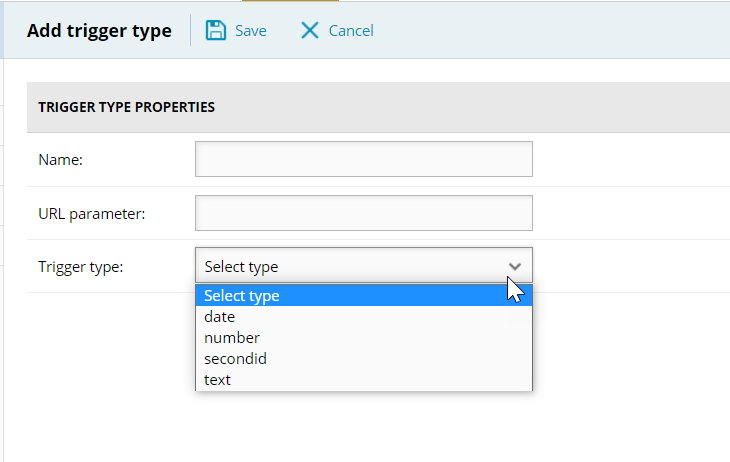 A trigger type is defined by the following properties:
Property Description Observations Name This field provides the name of the trigger which will be displayed in the Business Manager and Preview Pages.
Once a trigger has been saved the name cannot be changed.
No two triggers can have the same name; i.e. the name of a trigger must be unique.URL parameter This field defines the parameter that must be provided in the URL or Fredhopper query to activate the trigger.
This parameter is provided following the following format:
…&<URLparameter>=<value>…
No two triggers can have the same URL parameter; i.e. the URL parameter of a trigger must be unique.
Trigger type This fields defines the values types of the trigger. Once a trigger has been saved the trigger type cannot be changed.
The following trigger types are supported: date, number, secondid, text -
Add the trigger type value(s) by clicking Add new value.
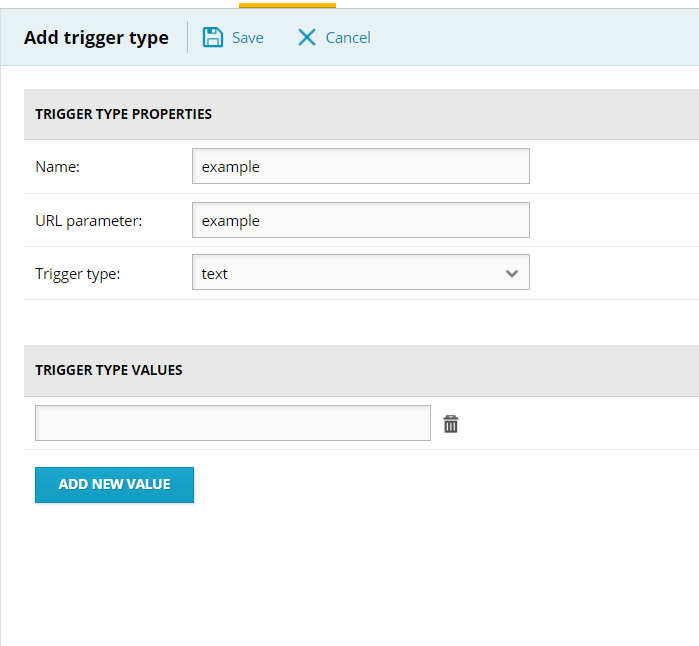
The following value types are supported for custom triggers:
Value type Description Date This value type should be used for triggers with date-time values. The format is: yyyyMMdd'T'HHmmss
Number This value type should be used for triggers numeric (float) values. The decimal separator is "." Secondid This value type should be used for triggers accepting FH secondids as values. Text This value type should be used for trigger with generic text values.
This value type offers two possibilities:
- Free text format. This is the default option.
- Predefined values. These can be added by clicking on "Add new Value". The button appears once the value type "text" has been selected.
Kommentare
0 Kommentare
Bitte melden Sie sich an, um einen Kommentar zu hinterlassen.