
This article will provide guidance on how to revert back to a previous version of a result modification.
Scenario
A result modification can be updated or deleted during its life cycle. All the changes are preserved as different versions of that result modification. If a previous version needs to be restored, then the following steps need to be executed.
Steps
- Log in to the Merchandising Studio.
- Go to the Result Modifications tab.
- Search for the modification. In this example - Top Selling Dresses.
- Click on the modification you wish to revert.
- Once loaded, click on 'Versions and restore'.
- Select the version that you wish to restore.
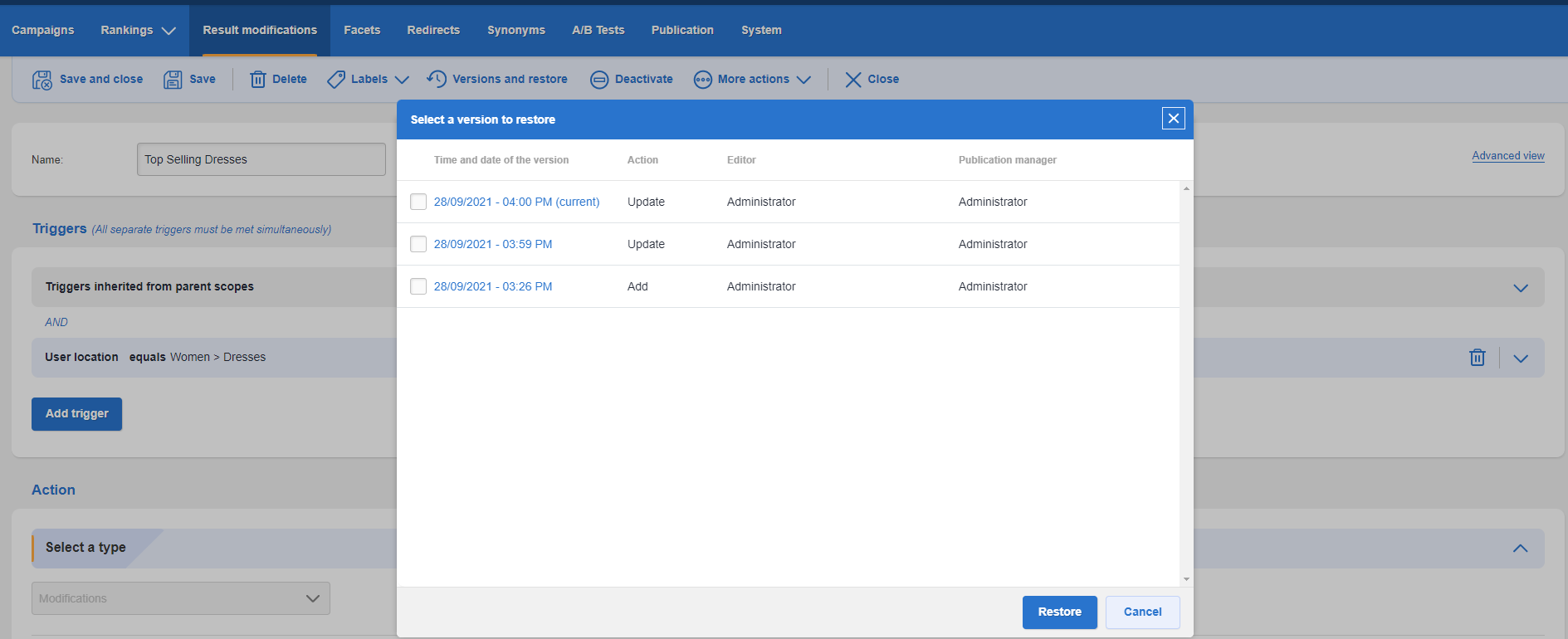
- Click restore.
- Once this is done, you can create a new publication set and then publish.
Comments
0 comments
Please sign in to leave a comment.