Creating and linking to a new dataset entry

Author: damon_s
Publication Date: 3/2/2018 20:02
Hello all-
Having an issue linking to my dataset. On my content form, I have a FS_DATASET element where the editors can create a new entry.
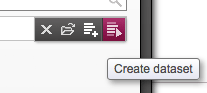
Editor fills out dataset fields and saves, bringing him back to the original form. Sifting through these forums, I was able to figure out how to extract the headline and the image and display them.
How can I get the link to the newly created dataset?
My datasets get published out as a page:
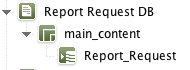
-
Author: cobra707 - 3/5/2018 10:49
Editor fills out dataset fields and saves, bringing him back to the original form.
If i understand correctly, after creating your Dataset the Dataset is empty and not saved? Maybe you forgot to connect your Modules with the Database-Variables?
(Just an example where you have to link)
How can I get the link to the newly created dataset?
If you want to get the Data from the Dataset you get access with FS_INDEX to it. After this you can use your Reference-name to get the specifics value you need.
<FS_INDEX name="st_test">
<LANGINFOS>
<LANGINFO lang="*" label=""/>
</LANGINFOS>
<SOURCE name="DatasetDataAccessPlugin">
<TEMPLATE uid="news.news"/>
</SOURCE>
</FS_INDEX>
If you want a link to your Report_Request-Site which is generated from the Dataset you can pick it with:
MODUL:
<FS_REFERENCE name="st_test">
<LANGINFOS>
<LANGINFO lang="*" label=""/>
</LANGINFOS>
<PROJECTS>
<LOCAL name="."/>
</PROJECTS>
</FS_REFERENCE>
HTML:
<a href="$CMS_REF(st_test)$">LINK</a>
newly created
If you want always display the newest entry without maintaining it, maybe you take the ContentSelect-Function and write a query to get the newest.
Maybe it helps you.
Regards,
Peter
0 -
Author: damon_s - 3/5/2018 18:11
Peter,
Thanks for the detailed reply. I ended up doing exactly what you recommended: making a ContentSelect function that queried the newly made record by ID.
Regards,
-Damon
0
Vous devez vous connecter pour laisser un commentaire.
Commentaires
2 commentaires