Rules void (canceled, anulled) when section is pasted as a reference

Author: aleksandar_trif
Publication Date: 9/30/2020 13:51
Hello Community,
When using Rules to "Show/Hide" elements is clear to me, and I wrote it. But, error happens when I paste a section as a reference, and rules are abolished (canceled).
I tried to used preset="copy" and preset="default" on all input components and nothing is fixing this issue.
Example:
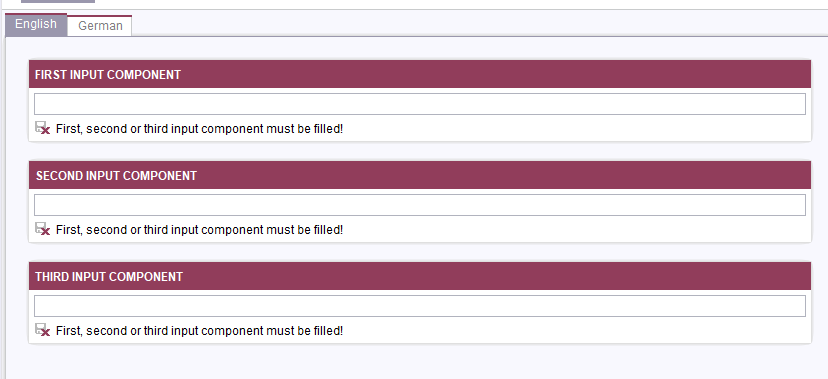
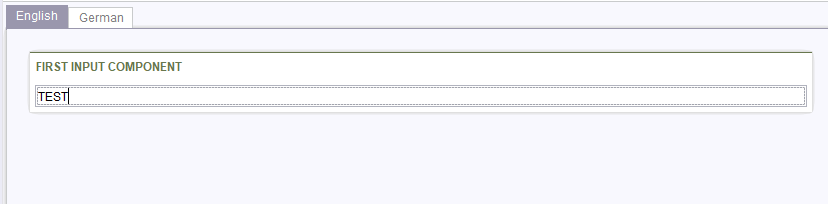
When First input component is filled, others are hidden.
This works fine on a section in Page content, but when I want to paste section as a reference, rules are non existing and all components are visible
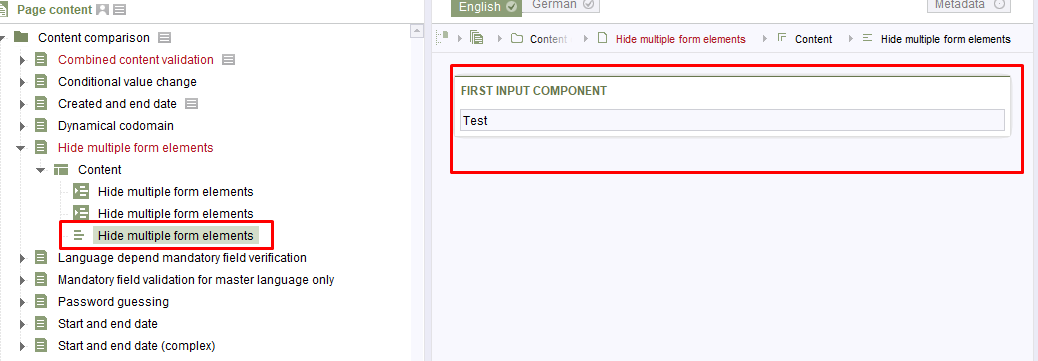
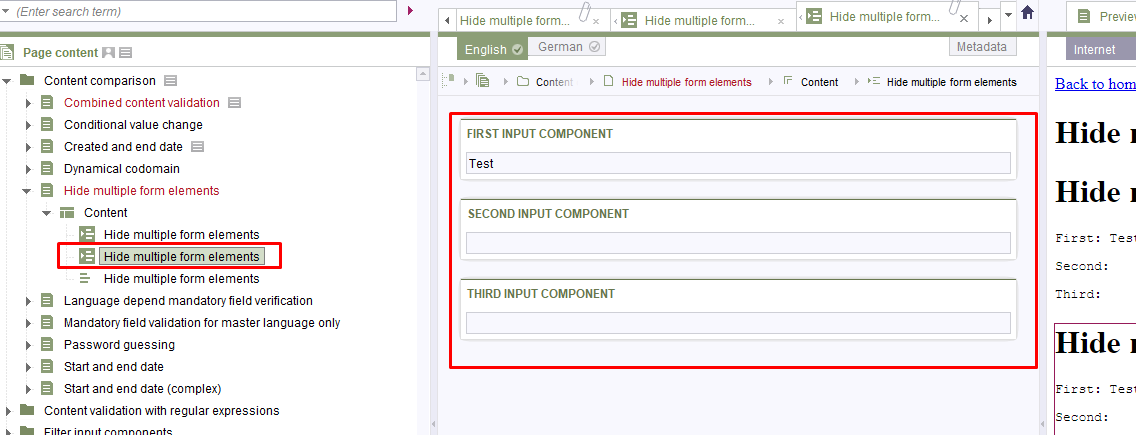
Is there a possibility to prevent this behaviour, maybe something to do with RULES and/or INPUT COMPONENTS ?
Best regards
Alex
Tags: create new page, hidden, paste section as a reference, rules, section_templates, visible
-
Author: StefanSchulz - 10/1/2020 8:42
Hi Alex,
So, if I understand correctly, it seems that rules are not applied when using a section reference, yes?
As the SiteArchitect is not meant as client for editors, could you check, whether this is an issue in the ContentCreator as well?
Please, report your findings including information about your setup to our Technical Support, as it looks like an error to me.
Thanks and best regards
Stefan
0 -
Author: rmx - 11/20/2020 13:49
Hi Stefan and Alex,
I have the same issue. Here are my findings:
:smileycheck: In ContentCreator my rules are handled correctly with the referenced section!
:smileyminus: In my Case my Ruleset does only work in my primary language DE. In EN ist does not work properly. Neither in the section nor in the referenced section
BTW: I opened an issue with ContentCreator because referenced sections are not handled correctly by copying. Therefore an editor has to use SiteArchtiect to properly work with referenced sections. Just saying :-)
0 -
Author: StefanSchulz - 11/23/2020 6:49
Hi Roman,
Rules only working in one language sounds strange. Would be helpful to see the rules, though.
Best regards
Stefan
0 -
Author: rmx - 11/23/2020 8:57
Hi Stefan,
we have two CMS_GROUPS with the name of cta and button. They should only be visible if st_button_target has the appropriate value.
<RULES>
<RULE>
<WITH>
<EQUAL>
<PROPERTY name="ENTRY" source="st_button_target"/>
<TEXT>cta</TEXT>
</EQUAL>
</WITH>
<DO>
<PROPERTY name="VISIBLE" source="#form.cta"/>
</DO>
</RULE>
<RULE>
<WITH>
<EQUAL>
<PROPERTY name="ENTRY" source="st_button_target"/>
<TEXT>form</TEXT>
</EQUAL>
</WITH>
<DO>
<PROPERTY name="VISIBLE" source="#form.button"/>
</DO>
</RULE>
</RULES>
Any clues?
All the best,
Roman
0 -
Author: StefanSchulz - 11/23/2020 9:17
Hi Roman,
ok, no clue. This looks like a very simple ruleset and should work in any language. This would require a more detailed analysis of the project and whether we can reproduce this behaviour to detect a potential bug.
Cheers
Stefan
0 -
Author: rmx - 11/23/2020 10:53
Hi StefanSchulz,
that's what I thought.
See our two screenshots. In DE the rule is working as expected (only button is visible). in EN both Groups (cta & button) are visible. Therefore, the ruleset is not working properly.
Please investigate!
0 -
Author: StefanSchulz - 11/23/2020 11:27
Hi Roman,
It looks broken and seems to be a case that should be reported to Technical Support, including all information necessary to reproduce the issue.
Best regards
Stefan
0
Vous devez vous connecter pour laisser un commentaire.
Commentaires
7 commentaires