How to change the project description of FS project?

Author: Yamini
Publication Date: 5/10/2021 16:24
Hello All,
We have a client requirement where we need to change the description of our FS project. we tried with the following method, but it does not appear to change in server mgr.
currentProject = connection.getProjectById(context.getProject().getId());
currentProject.setDescription("new project description");
However the above statement does not seem to take affect on server mgr,
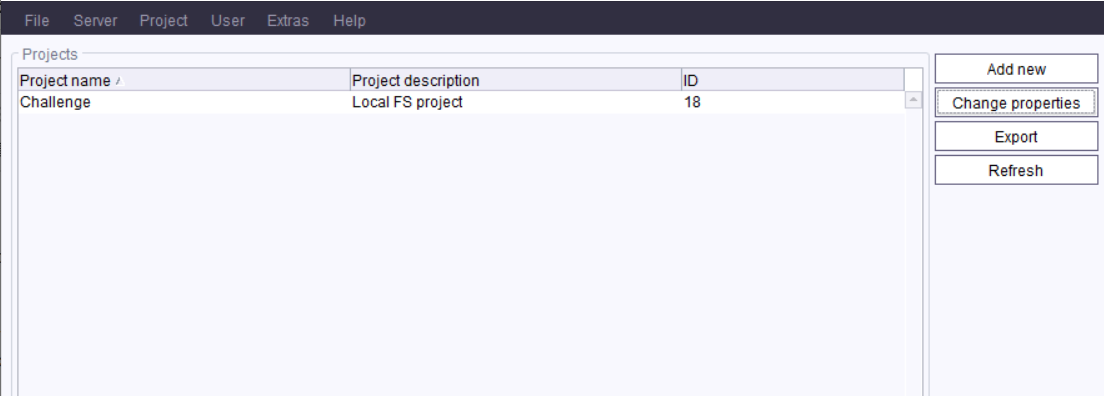
Kindly suggest.
Thank you.
Tags: de.espirit.firstspirit.access.project.project, description, firstspirit-modules, fsm, projectproperty, server manager
-
Author: mareike - 5/10/2021 22:10
Click at the project --> open Project -> Properties.
There you can edit the description in the first menu item named "Project":
0 -
Author: hoebbel - 5/11/2021 7:43
Dear Yamini,
if you need/want to go via the API, then you need to lock the project beforehand and save it after the change:
project = connection.getProjectById(context.getProject().getId());
project.lock();
project.setDescription("new project description");
project.save();
project.unlock();
Mareike has already described the way via the GUI.
Best regards
Holger
0 -
Author: Yamini - 5/13/2021 8:28
Hello Holger,
yes we wanted to do it via api, thanks for your answer!
0 -
Author: Yamini - 5/13/2021 8:29
Hello Mareike,
Thanks for your input :-) We wanted to do it via API...sorry that it wasn't clear in my question.
0 -
Author: Yamini - 5/13/2021 10:42
Hello Holger,
We tried with the methods you suggesed but we get the following exception when executing this api via schedule task:
-->
: Exception: changes not allowed for current connection
...
Following is our code:
connection = context.getConnection();
currentProject = connection.getProjectById(context.getProject().getId());
currentProject.lock();
currentProject.setDescription(formFieldVersion.get().toString());
currentProject.save();
currentProject.unlock();
Kindly suggest.
0 -
Author: StefanSchulz - 5/14/2021 12:02
Hi Yamini,
In a Schedule Task, if I am not mistaken, the given connection only provides read only access.
What would work, I think, is to set up a remote project configuration (e.g., to the project itself), where you can also define the user for accessing the project. You should then be able read the remote configuration from the current project and use it to open a remote project access via the given connection (getRemoteConnection). The defined user should have project administrator rights to make the changes.
Hope this helps.
Best regards
Stefan
0
Vous devez vous connecter pour laisser un commentaire.
Commentaires
6 commentaires