Content Creator preview images shows two times while adding sections template??

Author: sivaprasad9394
Publication Date: 7/19/2017 14:42
Hello Team,
While adding the new section via Content Creator some times(mostly first time i hope) it shows double preview in left and right of mouse over.
Attached imaged for your reference.
Why this behavior is happening?
FS version: 5.2.426
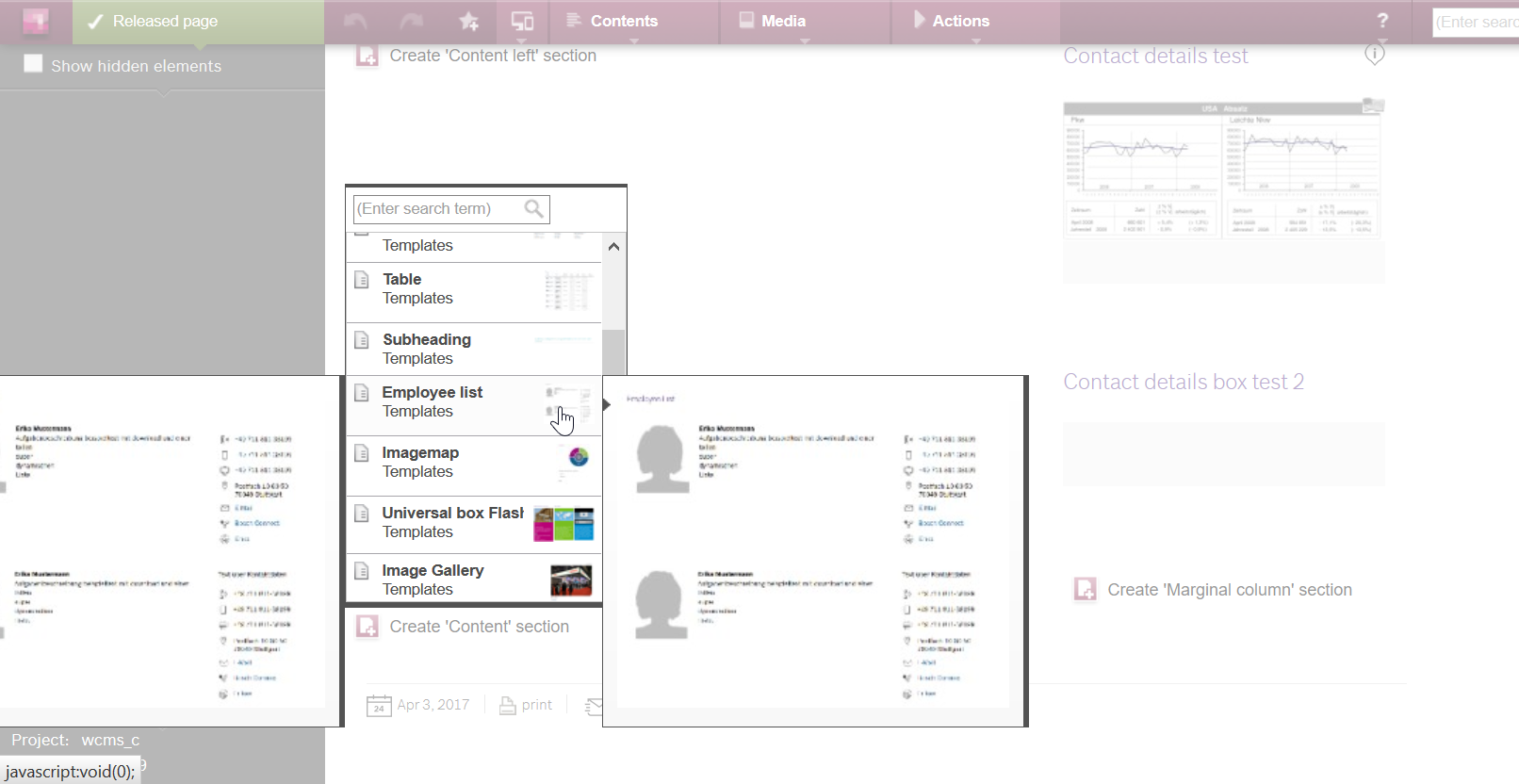
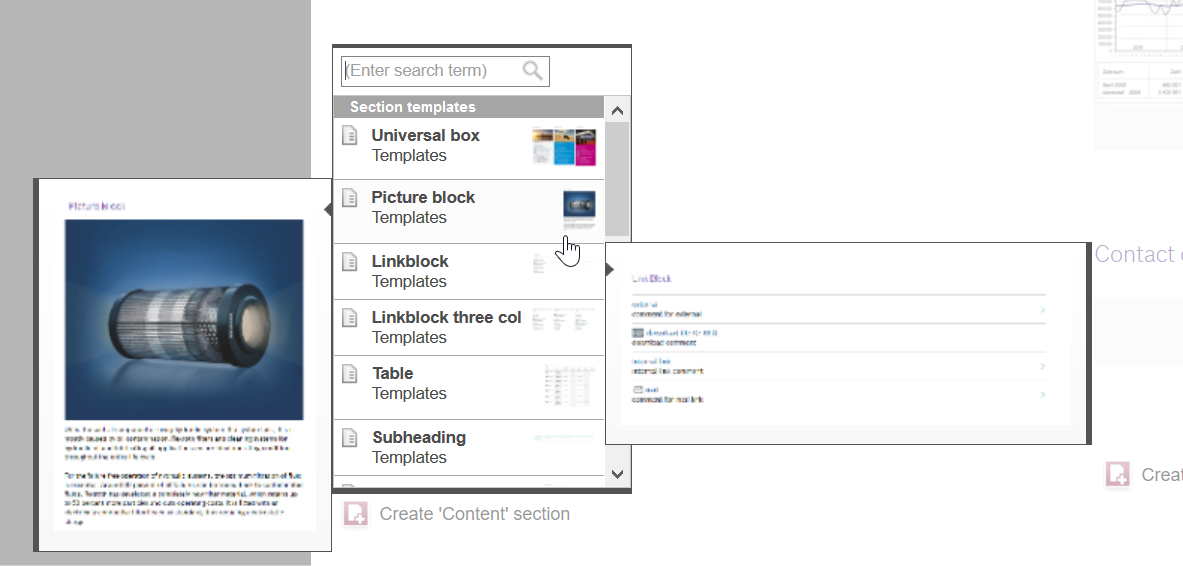
TWO Different image in-between the cursor:
Regards,
Siva
Tags: content creator
-
Author: rednoss - 7/21/2017 9:44
Hello Siva,
please post the snippet code of the template you are speaking of.
Best regards
Rene
0 -
Author: sivaprasad9394 - 7/26/2017 4:28
Hi Rednoss,
Thank you for your reply.This problem is happening randomly only.
To reproduce it,
1.Scroll the scroll bar fast and keep the browser in in CC.
2.Its not happening all the times.
If i want to share Section Template Code then I have to share all the section template code here.
No one knows on mouse over in which Preview image it shows doubled.See my previous post images attached , Its different Section Template code.
I don't think so this is related to Section template code.Looks like this FS bug.???
Thank you.
Regards,
Siva
0 -
Author: marro - 8/7/2017 9:35
Hello Siva,
which browser do you use? I wasn't able to reproduce your problem.
Regards,
Donato
0 -
Author: MichaelaReydt - 8/9/2017 12:27
Hello Siva,
the first image seems as if the left and right mouse over both refer to the employee list, while in the second image the left mouse over represents the picture block and the right one belongs to linkblock. Am I right?
Without any template code and without knowing how the snippets look like we are just able to guess what is happening. So that is what I'm doing:
In the first case I could imagine that one mouse over shows the template's preview image and the other one shows the snippet image.
In the second image the cursor is visible at the border between both sections. Maybe there is an overlapping of the two list items and that causes the two mouse overs.
Best regards
Michaela
0 -
Author: sivaprasad9394 - 8/22/2017 13:16
Hello Pahl,
Thank you for your reply.yes you are correct.
This not specific to template code.Problem occurred randomly in different template also when we do scroll vertical scroll bar fast and then mouse over on it.
Its for first time only.Second time there is no error at all.
Strange issue..
Thank you.
0 -
Author: tenter - 8/30/2017 9:46
Hallo Siva,
we assume that there is either some kind of timing problem or a problem with invisibly overlapping elements. Or both :smileyhappy: Since we are not able to reproduce your error, we need to know what browser you are using. So:
Which browser (and version) do you use?
Is your machine under heavy load, or is the content creator page not working smoothly at all?
Thank you,
Hannes
0 -
Author: sivaprasad9394 - 8/30/2017 10:22
Hello Mr.Hannes,
Thank you for your reply.After your reply i have tried again and able to reproduce the same.
Attached the image for your reference,
Browser version: Firefox ESR 52.2.0(32bit)
FS Version: 5.2.426.74523
I am sure my machine is not loaded heavy.only one CC is opened and no eclipse or no intellij is opened.
CC page is working properly.
I have taken the screen short just now.It s not because of template code.Sure i can reproduce it via randomly mouse over after fast scrolling.My previous Images different template shows double images.
Thank you.
0 -
Author: tenter - 8/30/2017 10:40
Hi Siva,
thank you for your detailled report. I once again tried to reproduce your problem, but it wasn't successful. Even though it seems to be unrelated to any template code, maybe there's a problem with the nesting of you templates. For example I can see those two "add section" buttons very close to each other.
I would like to ask you to file a bug through our technical support. Maybe a remote session could reveal what is the problem here.
Thanks,
Hannes
0
Please sign in to leave a comment.
Comments
8 comments