Set the color for Micronavigation sections based on portal role?

Author: sivaprasad9394
Publication Date: 12/1/2017 9:27
Need to set the color for Micronavigation sections.
Below is my micro navigation code:
$CMS_RENDER(template:"personalization_start",roles:bodyChild.meta("portal_roles","inherit").getAllowed("access").toString(","))$
<div class="ll" style="padding-bottom: 4px;padding-top: 4px;><a href="#$CMS_VALUE(section.uid.replace(" ", "_"))$" class="microNavigationLink">$CMS_VALUE(section.label)$<img src="$CMS_REF(media:"lnkarrow")$" class="sprite_lnkarrow linkarrow" border="0"></a></div>
$CMS_RENDER(template:"personalization_section_end")$
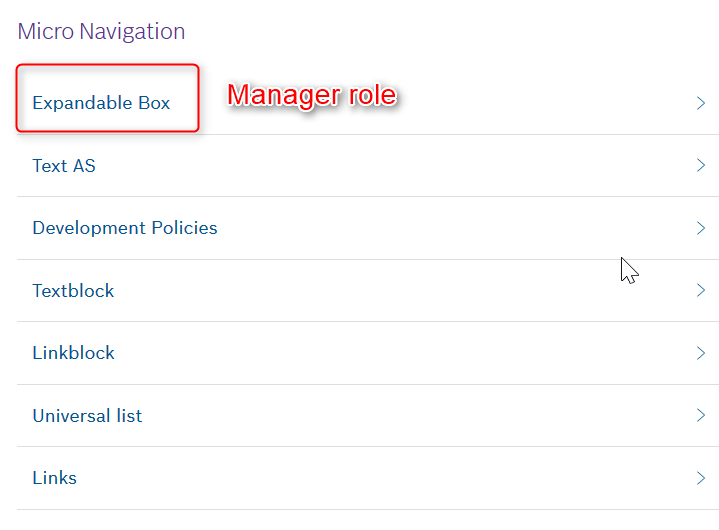
I am logged in as Employee,So i should not see the ExpandableBox in the live page. This is working.All the other links has employee role.
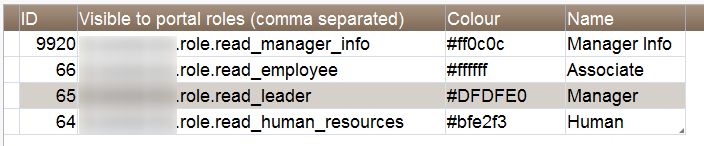
I would like to set the color based on role which is fetched from DB as per the image below.
For example :
$CMS_ELSIF(sourceType.equalsIgnoreCase("folderRef"))$
$CMS_IF(targetRef.getMetaFormData ().getForm ().findEditor ("role") != null)$
$CMS_SET(color,targetRef.getMetaFormData ().get(#global.language, "role").get().getValue ().get ("colour"))$
$CMS_END_IF$
$-- Code Added For overview_navigation_no_pictures --$
$CMS_ELSIF(sourceType.equalsIgnoreCase("pageRef"))$
$CMS_IF(targetRef.getPage().getFormData ().getForm ().findEditor ("pt_role") != null)$
$CMS_SET(color,targetRef.getPage().getFormData ().get(#global.language, "pt_role").get ().getValue ().get ("colour"))$
$CMS_END_IF$
$CMS_END_IF$
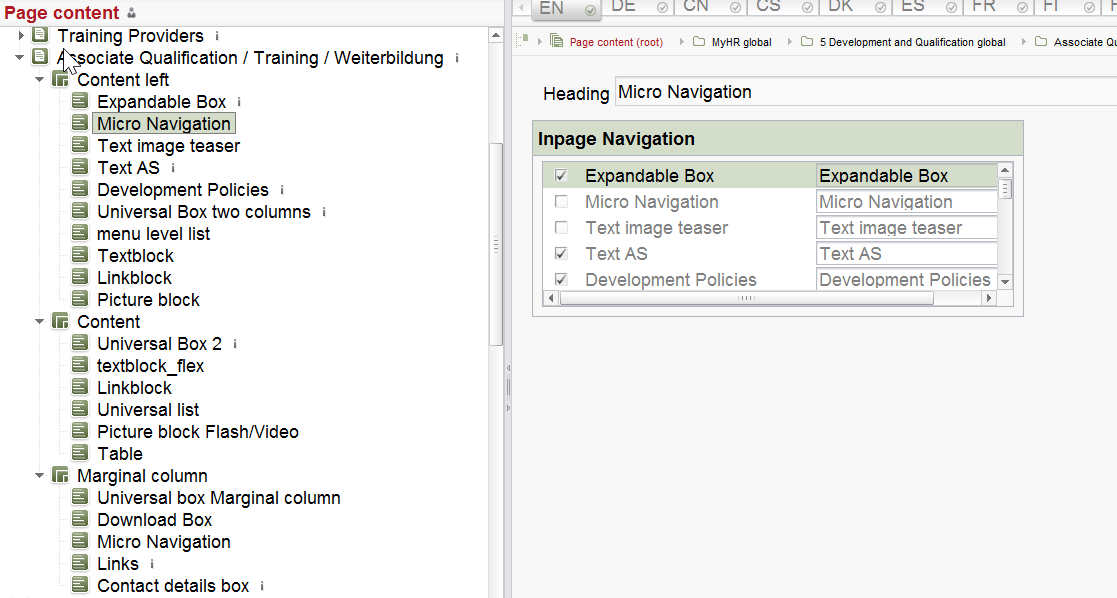
How to set it for sections which is added in via MicroNavigation?
How to set the color for my div class style???
It will be helpful if i know to do.
Thank you.
Tags: micronavigation
-
Author: kohlbrecher - 12/13/2017 13:38
Hi Siva,
Maybe because of the portal part I'm not able to follow you. Where are you logged in? What do you mean with live page?
Best regards
Jan
0 -
Author: sivaprasad9394 - 12/14/2017 11:07
Hello Kohlbrecher,
Thank you for your reply. I should have given the information detailed way.Sorry for that.
In a company different employees are there like 'Associate','Manager','Human Resource' and for then Roles are available. Like wise only few of the Micro-navigation sections are visible to the Associate based in Role.Other micro-navigation sections are restricted for Associate So that only manager can view it. As shown in the previous image.Like to set the background-color for each migro-navigation sections <a> tag. Color are available from Database.
Live page is nothing but a web page which the user viewing it.
Thank you.
0 -
Author: neumann - 1/11/2018 9:15
Hi Siva!
You just need to extract the string from your database and put it into the style attribute of your <a> tag like so
<a style="background-color: $CMS_VALUE(code to get the colour from your database)$;">
Is that what you were looking for? Or do you need help with the code extracting the correct colour?
Regards
Emre
0 -
Author: tenter - 1/30/2018 14:19
Hi Siva,
was Emre able to help you with his suggestion?
Regards,
Hannes
0 -
Author: sivaprasad9394 - 4/10/2018 11:00
Time being this issue is on hold .
Thank you.
0
Please sign in to leave a comment.
Comments
5 comments