
The FAS 22.2.0 release comes with some exciting new changes to the preview pages. We will be showcasing the new functionality below.
An upgraded look
We were aware that the preview pages were in a state of much-needed improvement. We've listened to your feedback and have updated the pages with a cleaner, fresher look which matches the Merchandising Studio. It makes looking through the catalogue easier than ever.
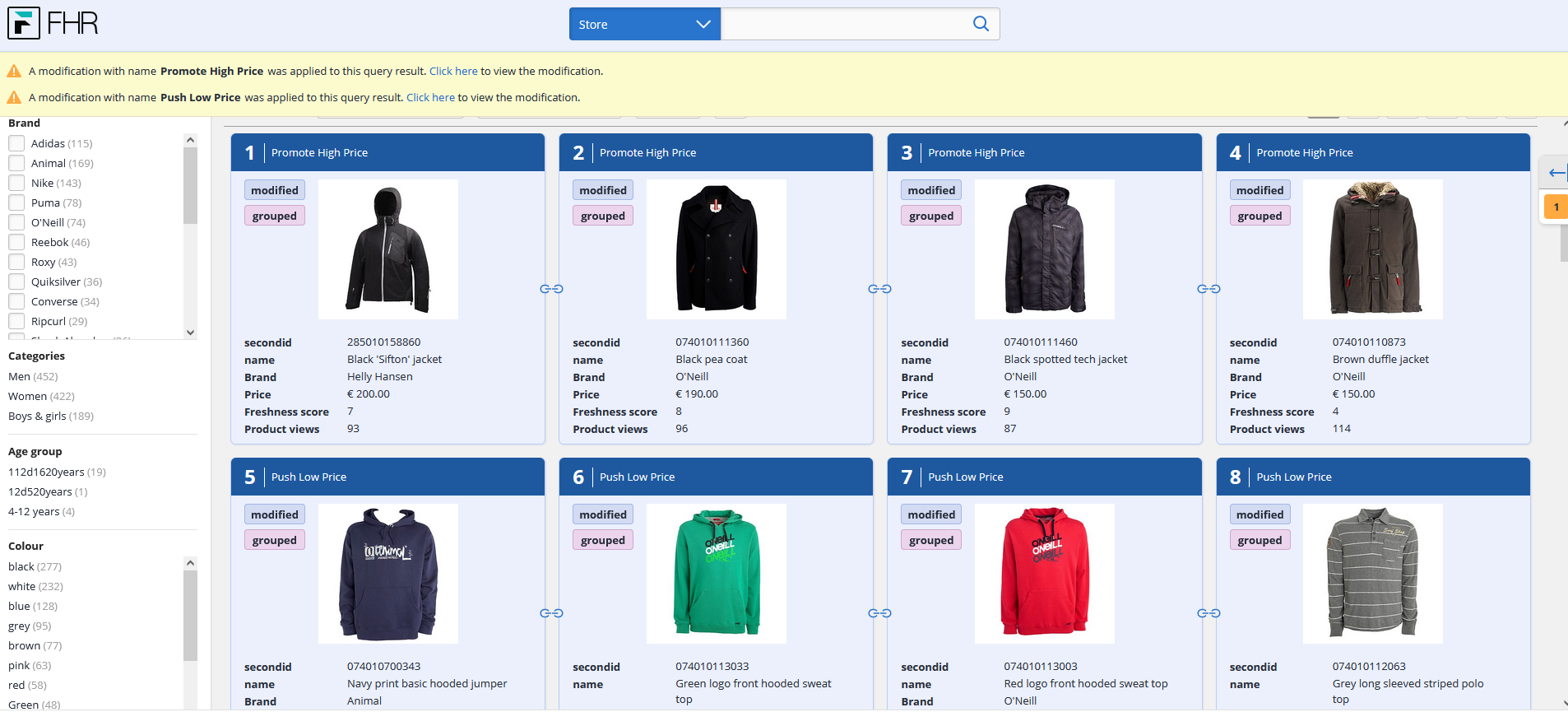
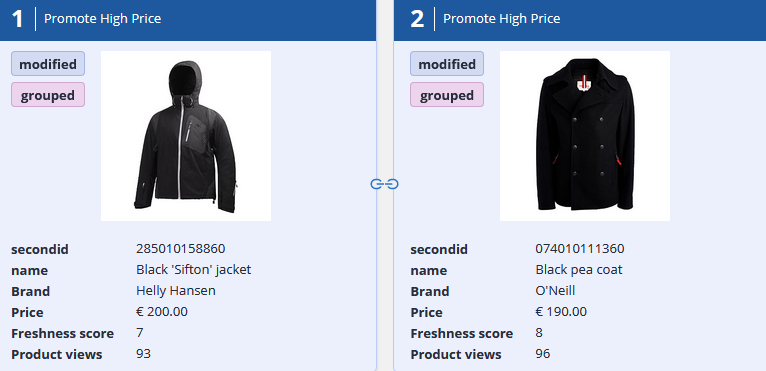
Visual representation of modified and grouped products
You can see the result modifications on the page, highlighted by a blue background and a modified label next to the image. You can also see which items are grouped by the chain linking the products, and another label identifying them as grouped. This eliminates the need to manually check each modification, as you will have the information you need right on this page.
View options
When viewing the rankings on the page, you may have to scroll past banners, item rankings, and campaigns when all you want to see is the natural ranking. You can now navigate to the top right and select 'View options' to clear all this and view the page the way you want. This is a powerful tool to see what the rankings would look like without any modifications.
They can be toggled on and off at any moment, so remember to check for the orange eye icon to see if any view options have been turned off.
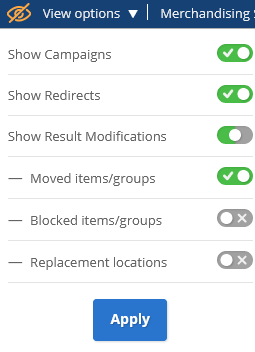
Another significant change this includes is turning off redirects. If you want to test the search without a redirect, you can now do it straight through the preview pages.
We're delighted with these new changes and hope you'll be too!
Comments
0 comments
Please sign in to leave a comment.