
Once you've configured your search the way you would like, the next step is to track and view data to see how it is performing.
You will see "Search statistics" under the Insights section if you have Search enabled.
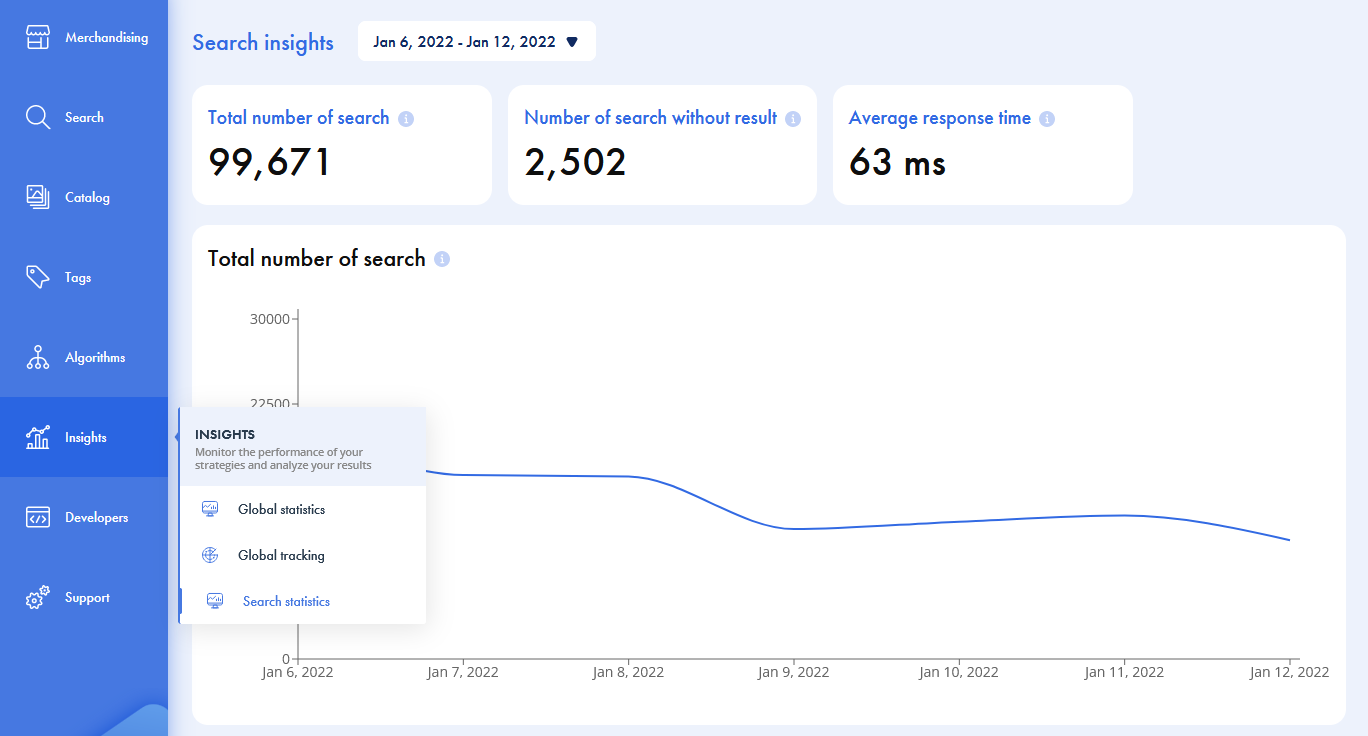
At the top, select the date range from the dropdown, which will display the statistics for the given period.
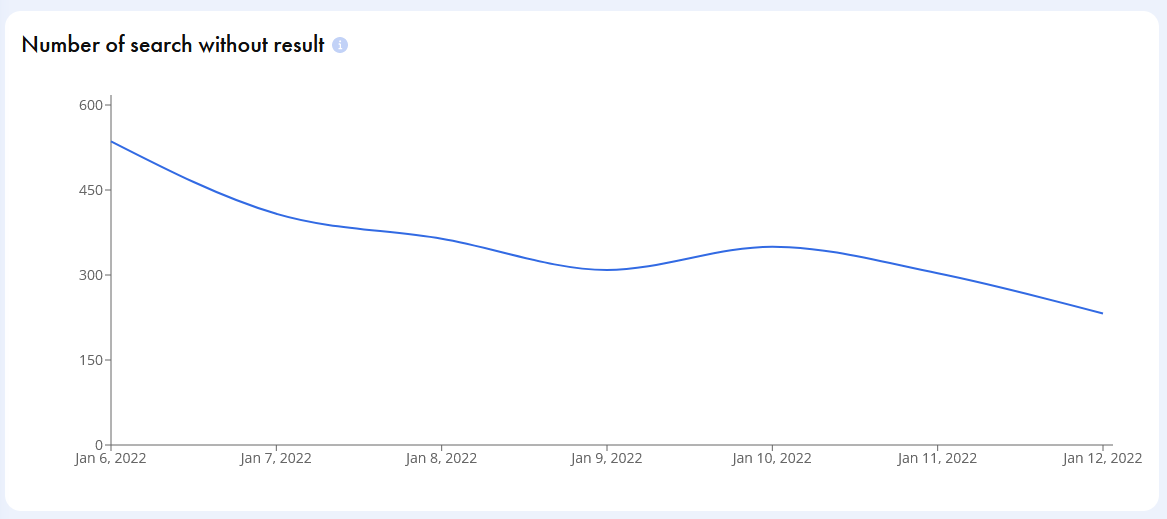
View three different technical insights: the total number of searches, the number of searches without results, and the average response time.
To easily see trends across your chosen period, view the statistics in a graph.
Comments
0 comments
Please sign in to leave a comment.