
Creating a Project
Visit https://console.developers.google.com/
Create a project if it does not exist.
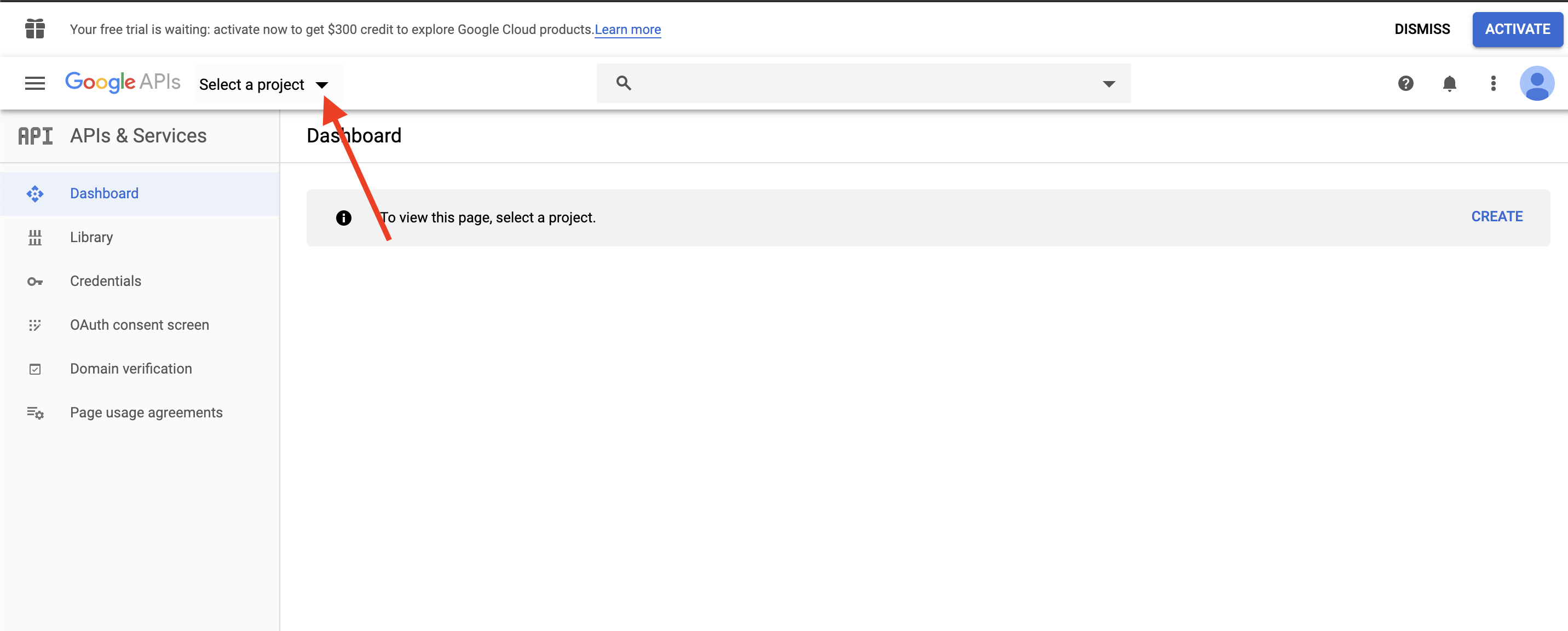
1. Click Select a project
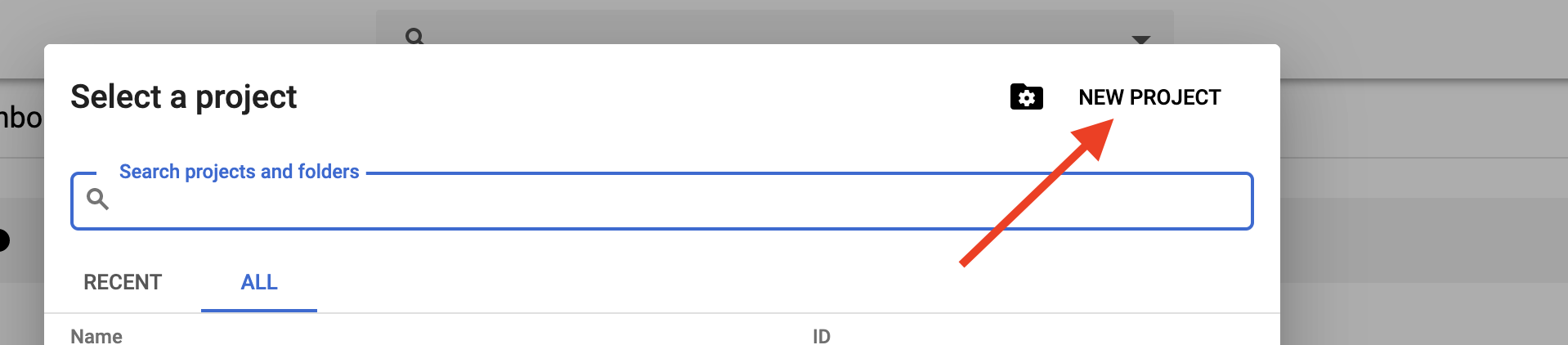
 2. Click NEW PROJECT.
3. In Project name field enter <your_company_name>-fhaproxy, e.g: thecompany-fhaproxy.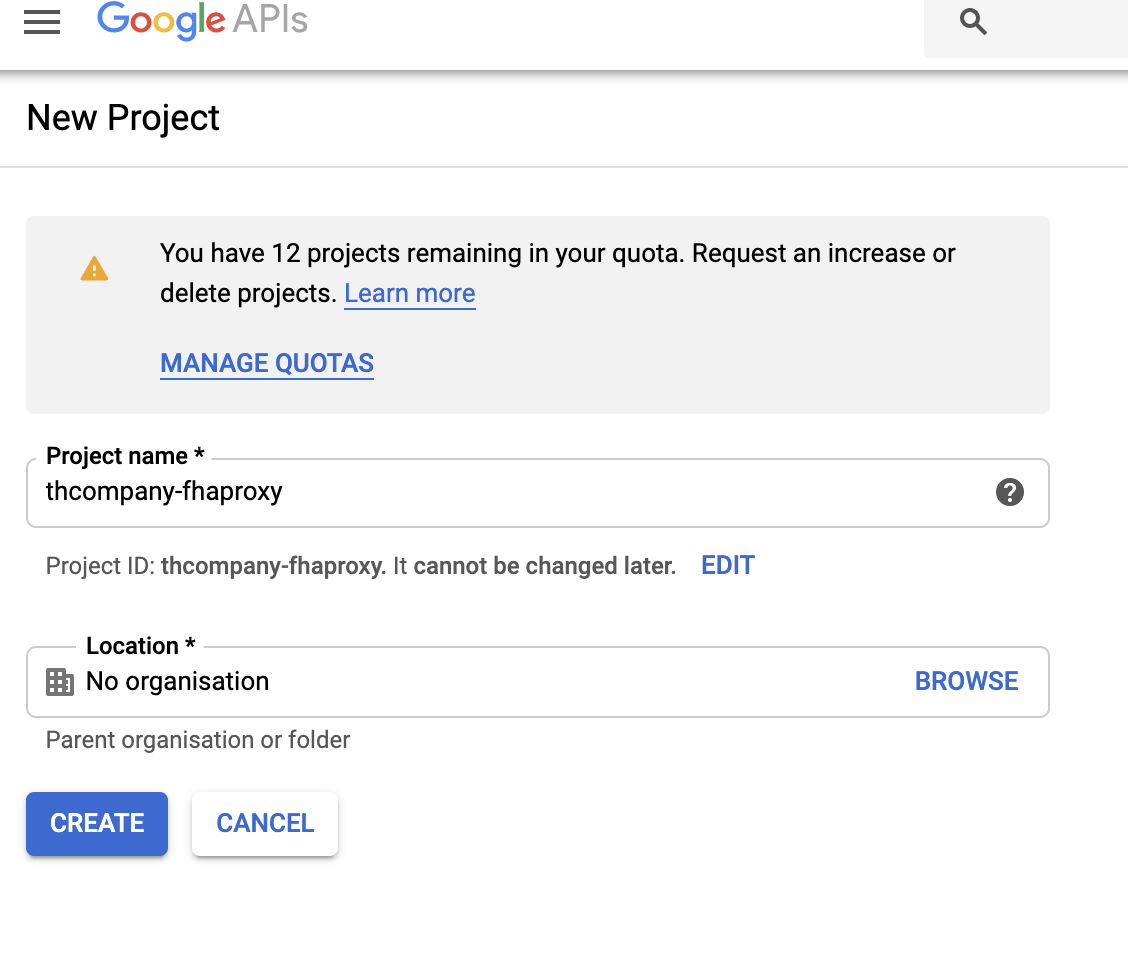
4. The project ID is generated automatically. If not generated, click Edit and provide the same information from the previous step. (e.g: thecompany-fhaproxy).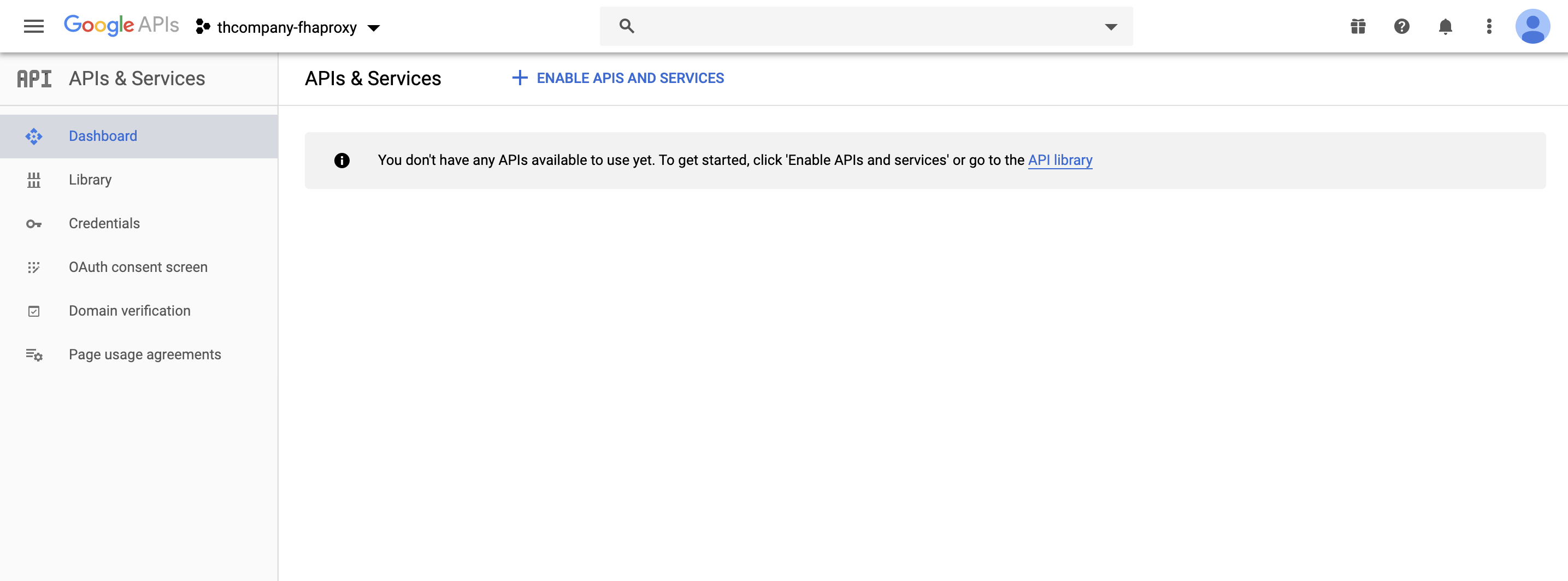
Comments
0 comments
Please sign in to leave a comment.