
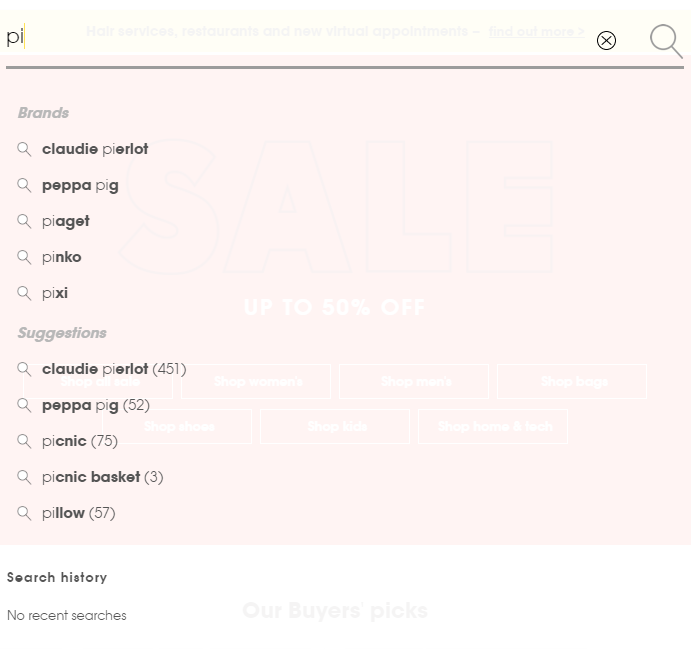
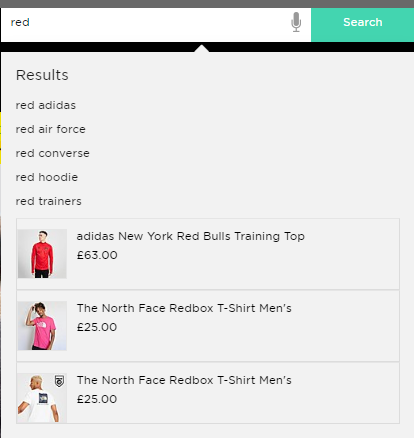
The following section explains how to integrate the Fredhopper Suggest service for type-ahead search suggestions in the search bar on your front-end web application. For example:
 |
 |
Once configured, the Fredhopper Suggest service will return the defined search suggestions in a lightweight JSON-format HTTP response. Each time a user inputs a keystroke in the search bar on the website, the front-end web application should send a HTTP GET query string request to the Fredhopper Suggest API with the given text value and then display the response that is returned.
The sections that appear within the responses may be customised and this should be discussed with your Technical Consultant who will guide you through the process. Implementations of search suggestions commonly include relevant keyword suggestions, product suggestions, brand suggestions, category suggestions and article suggestions.
The system can additionally be designed to give a default response when a user first clicks into the search bar but has not yet made a keystroke entry, e.g. show the most popular recent keywords. You might alternatively decide to have the front-end wait for the user to type the first 3 characters of the search term before sending the first query to retrieve the suggestions to display. This is in order to give more focused and relevant results.
Comments
0 comments
Please sign in to leave a comment.