Media snippet with description and location path?

Hello community,
I hope someone has an idea how to elegantly solve the following question:
When a medium is displayed as a snippet and no adjustments have been made to the meta data snippet, the path to the file within the media management system is displayed by default.

If a description is stored in the medium, this is displayed in the snippet instead.
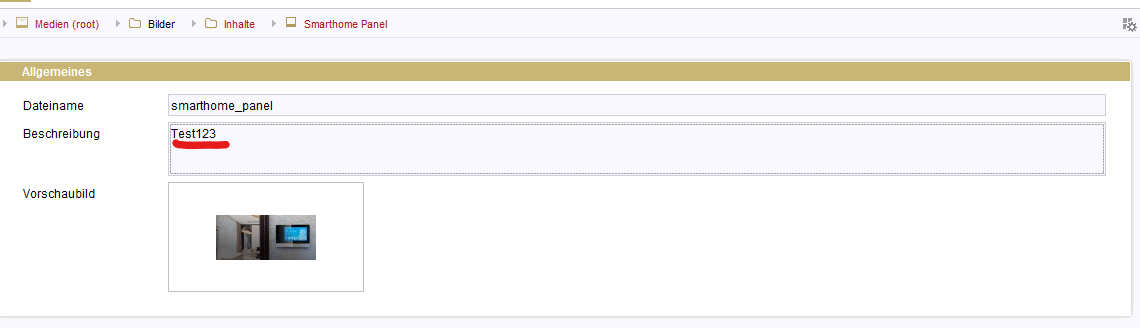

Since the editorial team would prefer to have both (description + path) in the snippet, I looked in the snippet documentation to see if there was an elegant way to do this, but I couldn't find a way to easily express the path of a medium.
Unfortunately, the attempt to load an executable was unsuccessful.
When I store
!#executable-class
TestSnippetExecutable
in the snippet, the following error message appears:
WARN 13.10.2025 11:22:45.954 (de.espirit.firstspirit.store.access.templatestore.SnippetEvaluator): Expression failed: “ ! #executable - class”! - de.espirit.firstspirit.parser.impl.EvalException: '# executable' does not evaluate to a boolean [class de.espirit.firstspirit.parser.eval.Undefined] (at line 1, column 2)
Does anyone know of a way to store the description + path in the snippets for media?
Best regards,
Christopher
---
german version:
Hallo Community,
ich hoffe das jemand eine Idee hat wie man folgende Frage eleganz lösen kann:
Wenn ein Medium als Snippet dargestellt wird, und keine Anpassung am Meta-Daten-Snippet vorgenommen wurde, wird als Default der Pfad zur Datei innerhalb der Medien-Verwaltung dargestellt.

Wenn im Medium eine Beschreibung hinterlegt wird, wird die diese im Snippet stattdessen dargestellt.
Da die Redaktion am liebsten in diesem beides stehen würde (Beschreibung + Pfad), habe ich in der Snippet-Dokumentation geschaut, ob es eine elegante Möglichkeit gibt. Jedoch habe ich nicht gefunden wie man den Pfad eines Mediums einfach ausdrücken kann.
Der versuch ein Executable zu laden war leider nicht erfolgreich.
Wenn ich
!#executable-class
TestSnippetExecutable
Im Snippet hinterlege, kommt die Fehlermeldung:
WARN 13.10.2025 11:22:45.954 (de.espirit.firstspirit.store.access.templatestore.SnippetEvaluator): Expression failed: ' ! #executable - class'! - de.espirit.firstspirit.parser.impl.EvalException: '#executable' does not evaluate to a boolean [class de.espirit.firstspirit.parser.eval.Undefined] (at line 1, column 2)
Kennt jemand von euch eine Möglichkeit, wie man es schaffen könnte Beschreibung + Pfad im Snippets für Medien zu hinterlegen?
Gruß,
Christopher
-

Hello Christopher,
you can get both from the #item respectively the #medium object.
The description is easy: #medium.getDescription()
The path is a little more complex, as you have to iterate over the parent chain. Here a possible solution for both (if the folders can be more than 5 elements deep, the array at the beginning has to be defined bigger, e.g. [1..10])
[1..5].fold(m:[#item], x -> if(m.last.parent==null || !m.last.parent.hasUid(),m,m.add(m.last.parent)))
        .filter(element -> element.uid!="root")
        .map(element -> element.getDisplayName(#global.language))
        .reverse()
        .toString("/") +
if(#medium.getDescription().isEmpty(),""," ( " + #medium.getDescription() + " )")
Best regards,
Holger0 -
Hello Holger,
Thanks for the feedback!
It looks really good, but there is currently a problem in that the path is now displayed twice in ContentCreator (as it seems that both the extract and the path are output in the default setting).
Unfortunately, I don't currently know how I could provide different snippets in SiteArchitect and ContentCreator.
I tried it withif(#global.is(class("de.espirit.firstspirit.access.BaseContext$Env").ARCHITECT),"Only displayed in Architect")but it didn't work.
Do you have any ideas about this?0 -
Hello everyone,
does anyone (other than AI spam bots) have any ideas for a solution?
Or is this a case for a bug ticket?Best regards,
Christopher0 -
Hello Christopher,
It is not possible to store different snippets for ContentCreator and SiteArchitect.
The fact that ContentCreator and SiteArchitect behave differently is also as expected.
In this respect, everything is working as expected and there is no error.However, I realise that the behaviour in this particular case is undesirable and not what is wanted. But I am concerned that a bug report will be rejected with the arguments written above.
In this respect, I recommend that you submit a feature request instead, in which you explain the use case in detail. It would be helpful if you could show why this is an added value for many customers.Best regards,
Holger0
Bitte melden Sie sich an, um einen Kommentar zu hinterlassen.
Kommentare
4 Kommentare