
We have some exciting changes coming with the upcoming release of FAS 21.4.0.
A new look
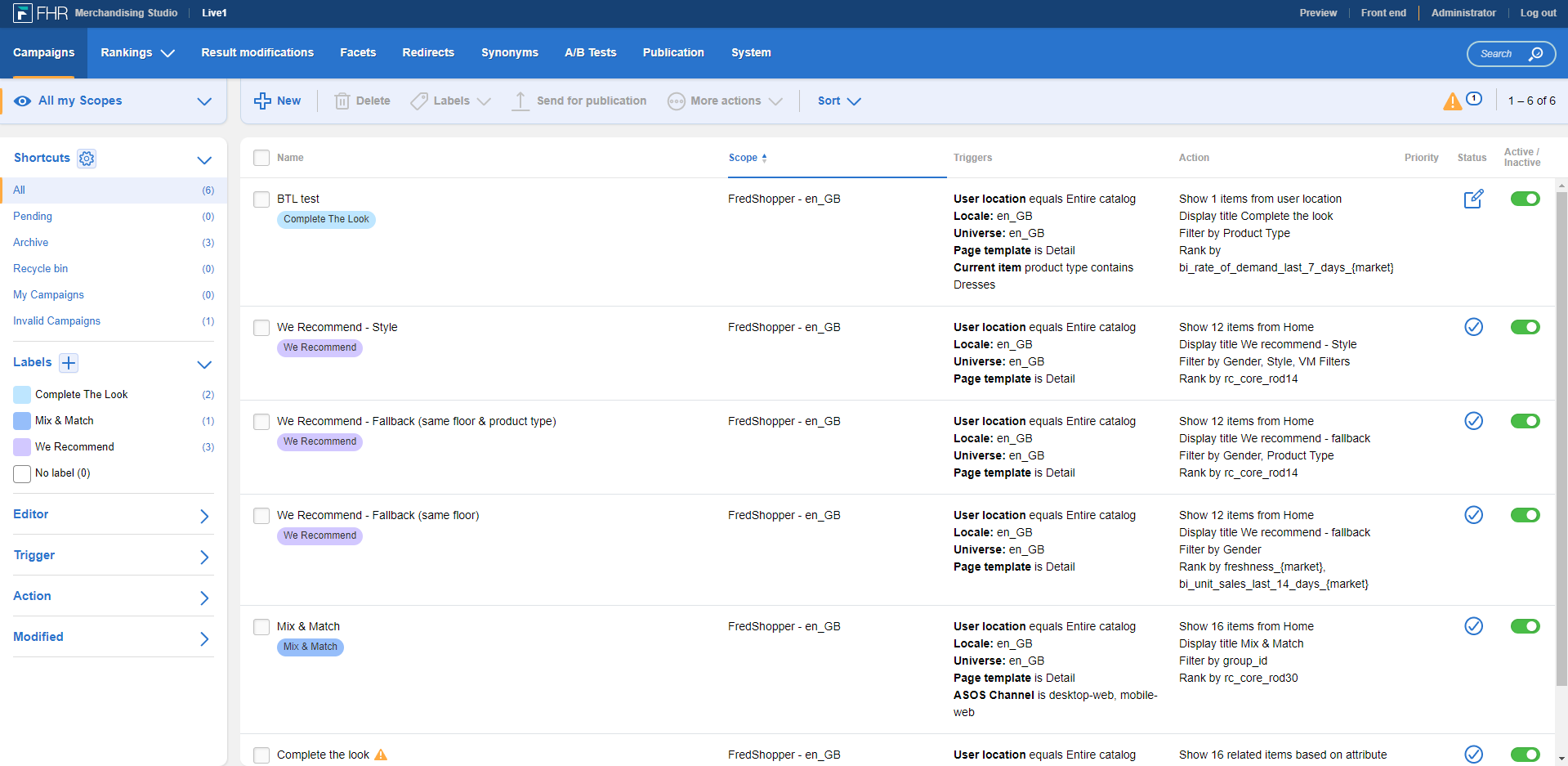
Introducing a brighter, more modern look to your Merchandising Studio. We have improved the way you interact with the Merchandising Studio without changing the core functionality and interrupting the flow of your processes.
The overview page will look like this:
Improved features
Alongside the new look and feel of FHR, we've also incorporated some small features to make your journey quicker and easier.
Toggle activation/deactivation
The current way of activating or deactivating requires adding or editing an entity, which can seem quite cumbersome when doing it multiple times. There is now a toggle on the overview page of trigger-based entities.
Simply click on the toggle on the right-side column to activate or deactivate. This will only work if the entity has not been sent for publication.

Bulk activation/deactivation
You can also activate and deactivate in bulk!
- On the overview page, use the checkboxes to select multiple entities.
- Navigate to More actions.
- Click Activate or Deactivate.

Reordering modifications
It is also now easier than ever to reorder your result modifications. Simply drag and drop to reposition.

Kommentare
0 Kommentare
Bitte melden Sie sich an, um einen Kommentar zu hinterlassen.