
Overview
Welcome to the Experience Orchestrator (XO) app by Attraqt!
The XO app for BigCommerce has been designed specifically to enable users to onboard with minimal effort and take advantage of our leading ecommerce product discovery platform, offering on-site search, merchandising, recommendation, and personalisation capabilities.
This document will provide you with a guide on how to set up the Attraqt app on your BigCommerce store and deliver an enhanced personalised shopping experience to your customers.
Getting Started
To begin using the application, you need an XO account. If you do not currently have one, please contact us using this form.
In order to install the application, please follow the steps listed below:
- You require 'Store Owner' permissions on your BigCommerce store.
- Once these permissions are in place, log in to your BigCommerce store, where you will see the following message:
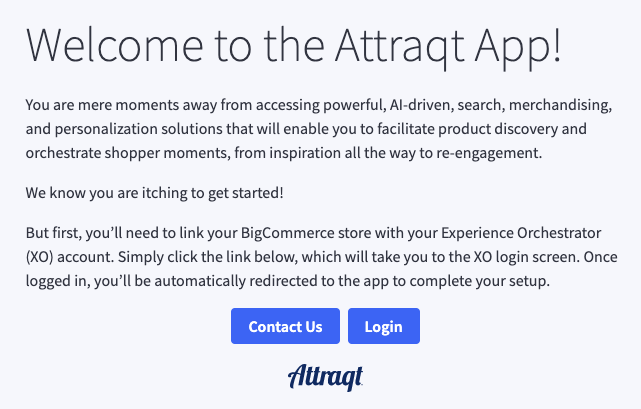
- Click the 'Login' button, and you'll be redirected to XO to enter your credentials.
- Following this authentication, you will be redirected back to BigCommerce to complete the setup.
- Attraqt and XO are now integrated into your store.
- The next step is to select which XO environment you would like to link to your store.
- Depending on your specific use cases and requirements, you could have multiple XO environments to select from (for example, Staging, Production, etc.).
- Once you have selected the appropriate environment, you can view the Integration Page.
Next Step: Integration
Kommentare
0 Kommentare
Bitte melden Sie sich an, um einen Kommentar zu hinterlassen.